
ComEd
An Exelon CompanyBusiness
4.05.85K Reviews
- Version
- 26.2.0
- Installs
- 500.00K
- Age Rating
- Everyone
Screenshots
Our Review of ComEd
 Analysis by Appyee
Managing an electricity account is usually something I remember only when a bill is due, a payment needs checking, or something at home suddenly feels wrong. That is where ComEd fits: it is a free business app from An Exelon Company that puts account access on a phone instead of making me rely entirely on a browser or a paper statement. I found its value less in flashy extras and more in reducing the number of steps between noticing a problem and checking the account connected to it.
After spending time with it, my impression is practical rather than enthusiastic. This is not an app I would install for entertainment or daily browsing. It is a utility companion for ComEd customers who want a convenient way to look after service-related tasks while away from a computer. The experience makes the most sense when I treat it as a focused account tool: open it, verify what I need, complete the task, and leave.
The app has been available since Apr 18, 2012, and its current version is 26.2.0. It is suitable for Everyone and works on Android 7.0 or later. Its audience is clearly established, with over 500 thousand installs, an average rating of 4.0, around 16 thousand ratings, and approximately 5.9 thousand reviews. Those figures suggest a widely used service with a generally positive reception, while also leaving room for the occasional account-specific frustration that is common in utility apps.
What ComEd is really useful for
I find ComEd most useful as a quick checkpoint when I need to make a decision about my household’s electricity account, rather than as something to browse routinely. I’d open it to orient myself, verify the account details, and decide whether a self-service step is enough or whether I should follow up another way. That practical role also makes it easier to judge how much speed and reliability matter in everyday use.
A direct route to account information
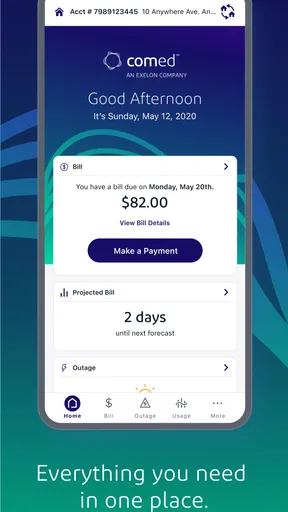
The main benefit is straightforward: I can reach my ComEd account from a mobile device when I do not want to sit at a desktop. That matters during ordinary moments, such as checking whether a payment has appeared, reviewing an amount before a due date, or confirming that I am looking at the correct service account. The app turns those small checks into something I can do from the kitchen, a train platform, or a work break.
I would not describe it as a complete replacement for every possible customer-service interaction. Its strongest role is self-service account access. If the issue is complicated, involves a disputed charge, or requires a detailed conversation, I would still expect a support channel to be more appropriate. The app helps me understand the account before taking that next step, which can make a conversation with support more focused.
One useful habit is to open the account before making a payment rather than relying on memory or an old notification. I can check the current amount and account context first, then decide what action makes sense. That simple pause is valuable because utility accounts can involve more than one service location or household responsibility. A quick verification is safer than assuming the last amount I remember is still current.
Why the mobile format matters
A browser can usually handle account management, but a dedicated app feels more suitable for short, repeated checks. I do not need to find a bookmark, remember which page leads to the sign-in screen, or navigate a full desktop layout on a small display. The advantage is not necessarily that every task becomes easier; it is that the starting point is more predictable.
That convenience is especially useful for people who manage a home while moving between locations. For example, if I am away and someone at home reports a concern, I can begin by checking the account rather than waiting until I return to a computer. The app does not remove the need for judgment, but it gives me a faster way to gather the basic account information needed to decide what to do next.
There is also a practical benefit for people who dislike keeping utility paperwork organized. Digital access can make it easier to check the account at the moment a question comes up. I still recommend saving important confirmations separately when a transaction matters, but the app is a convenient first stop instead of searching through old email or printed documents.
Trust starts with a narrow purpose
My trust in an account app comes partly from whether its purpose is easy to understand. ComEd presents itself as a focused way to access account information on the go, and that narrow role is reassuring. I am not being asked to interpret a social feed, promotional game, or unrelated content before reaching the service I opened the app to use.
That does not mean I would automatically approve every request or sign in without thinking. Utility accounts contain information that deserves care, so I would review the sign-in screen, check that I am using the official application, and avoid entering credentials on a shared or unfamiliar device. These are user-side precautions, but they matter because the app is connected to a real service relationship rather than a disposable account.
Controls I would look for before relying on it
The most important control is account access itself. Before using any payment or service option, I would confirm that the displayed account belongs to the right household or property. This is a particularly useful check for anyone who has moved, helps relatives with bills, or manages more than one location. A convenient app can still become confusing if the wrong account is selected.
I also prefer to review information on screen before confirming an action. For a bill-related task, that means checking the account identifier and amount rather than tapping through quickly. The app is most trustworthy when I use it deliberately: inspect the details, confirm the intended action, and keep any resulting confirmation that I may need later.
Because the app is free, there is no purchase decision to complicate access. That does not make account security irrelevant. Free access can encourage casual use, but I would still treat the login as sensitive and sign out or remove access if I were using a phone that other people regularly handle. The right question is not whether the app costs anything; it is whether the device and account are being used responsibly.
I would also keep the application updated through the normal app-store process. The current version is 26.2.0, and staying current is a sensible way to receive the version the developer currently distributes. I would not assume that an update fixes every issue, but using an old build can create avoidable compatibility or sign-in trouble.
Data-sensitive moments deserve extra attention
The most sensitive moment is signing in. A utility account can connect identity, service details, and payment-related activity, so I would avoid logging in over a network I do not trust. I would also be careful when handing my phone to someone who only needs to see a bill. Showing a screen is different from giving another person unrestricted access to the account.
Notifications require similar judgment. If the app displays account reminders on a lock screen, someone nearby may see information I would rather keep private. I would review the phone's notification settings and choose a level of visibility that fits my situation. This is a good example of user agency: even when an app is useful, the phone's operating-system controls can determine how much information becomes visible outside the app.
Shared households create another data-sensitive situation. A family member may need help checking a bill, but that does not mean every person should use the same credentials. I would prefer each person to use the access arrangement intended for them, if the service provides one, rather than passing passwords around. If I am assisting an older relative, I would let them remain in control of the login and explain each screen instead of quietly taking over the account.
Payment decisions also deserve a slower pace. I would not make a payment while distracted, especially if several accounts or service locations are involved. The app can make access quicker, but speed is not the same as accuracy. My best workflow is to verify the account, review the amount, confirm the action, and retain the confirmation screen or message until the transaction is settled.
Where the app gives users useful agency
The app's practical strength is that it lets me choose when to inspect my account instead of waiting for a desktop session or a customer-service response. That control is valuable for small uncertainties. If I wonder whether a payment has been reflected or need to check an account detail before calling, I can investigate first and decide whether further help is necessary.
I also appreciate the distinction between information and action. A good account workflow lets me look before I commit. I would use the app for that preliminary review even when I ultimately choose another route for a complicated request. In that sense, it can reduce unnecessary calls without forcing me to pretend that every problem belongs in a self-service screen.
For someone who manages bills for a household, the app can become a useful checkpoint on a regular schedule. I would choose one predictable time to review the account, rather than opening it repeatedly out of worry. That approach keeps the tool useful without turning it into a source of constant notifications or checking. The value comes from informed control, not from spending more time inside the app.
A realistic everyday scenario
Imagine that I am leaving town and want to make sure the household account is in order. Instead of opening a laptop, I can use the phone to access the account, review the current information, and confirm whether anything needs attention before I go. If a family member later reports a concern, I have a familiar place to begin checking rather than searching through documents from memory.
In that situation, I would not treat the app as proof that a physical or service problem has been solved. If the concern involves an outage, equipment, or a safety issue, account information is only one part of the response. The app is useful for orientation and account-related action; it should not replace appropriate real-world help when the situation calls for it.
How it compares with the usual alternatives
The most obvious alternative is using ComEd through a mobile browser. A browser may be preferable if I am on a computer already, if I rarely access the account, or if I want to avoid adding another app. It can also be more comfortable for reading lengthy information on a larger screen. The dedicated app wins when I want a familiar mobile entry point for quick account checks.
Another alternative is contacting customer support. A person can be the better choice when the account information is unclear, a payment appears wrong, or the request does not fit a simple self-service flow. The app is better for preparation: I can review what is visible first and then contact support with a clearer description of the problem.
Paper bills and saved emails still have a role, particularly when I need an older record or want a document outside the app. I would not discard those records solely because mobile access is convenient. The best setup for me is a combination: use the app for current checks and immediate account access, while keeping important confirmations or records in a place I can retrieve independently.
Who should use it and who may want another option
I would recommend ComEd to customers who want a simple mobile way to reach their account and who are comfortable handling routine checks themselves. It is a good fit for people who manage household bills from a phone, travel often, or want to verify account details before deciding whether to contact support.
I would be more cautious about recommending it as the only tool for someone who needs frequent personal assistance. If a user struggles with passwords, small-screen reading, or distinguishing between service locations, a browser on a larger display or direct support may be less frustrating. The app can improve access, but it cannot remove every usability challenge connected with account management.
I would also skip it if I almost never need mobile account access and already have a browser routine that works well. Installing an app is not automatically an improvement. Its strongest advantage is convenience during short, on-the-go checks, so people who prefer paper records or desktop-only administration may gain little from it.
My cautious verdict
After reviewing it as a business utility rather than a general-purpose app, I see ComEd as a sensible companion for customers who want account information available on a phone. Its free price, Everyone age rating, and long availability make it approachable, while the current version and established user base indicate that it remains an active option for mobile account access.
My recommendation comes with a clear boundary: use it for convenience, but keep control of the decisions. Verify the account before acting, protect the sign-in, review notification visibility, and do not confuse a digital account screen with a solution to every service problem. Those habits matter more than tapping quickly through a polished interface.
My bottom line is simple: ComEd is worth installing when mobile access will help you check and manage your electricity account at the moment questions arise. I would choose it over repeatedly searching for the correct browser page, but I would choose a larger-screen browser or human support when the task becomes detailed or difficult. Used with that realistic expectation, it is a focused, useful tool rather than an app that tries to do more than an account companion needs to do.
Verdict
Strengths of ComEd
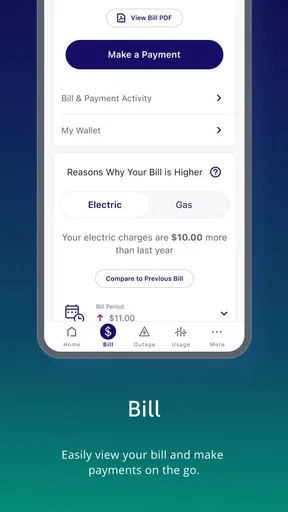
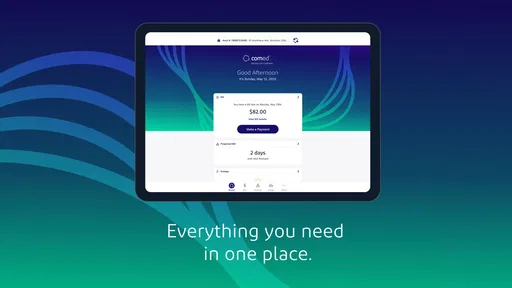
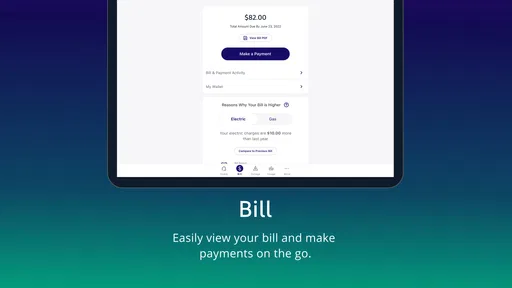
- Quickly view current and past ComEd bills in one place.
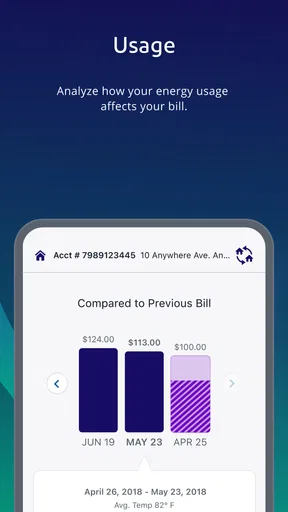
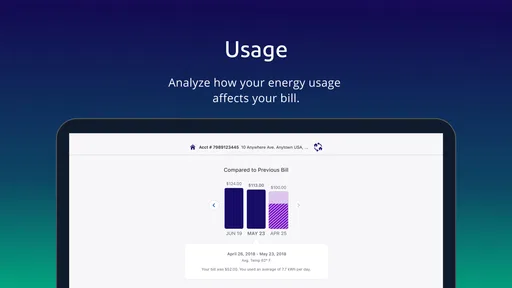
- Usage history helps track electricity consumption over time.
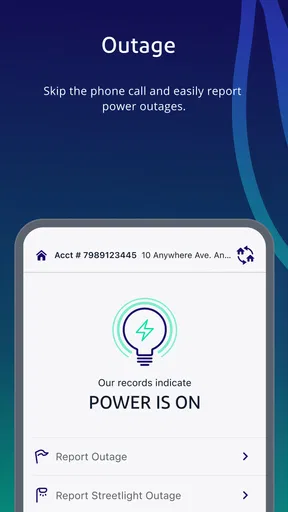
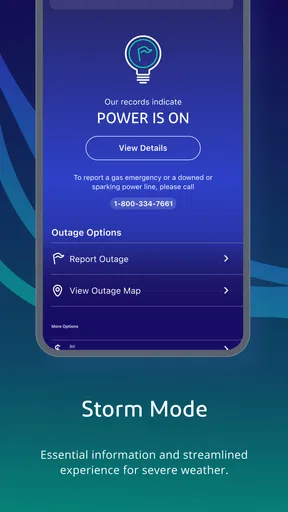
- Outage reporting can notify ComEd about problems from your phone.
- Paperless billing reduces clutter and simplifies account management.
- Payment confirmations make it easier to keep records of transactions.
Limitations of ComEd
- Some features require an active ComEd account and verified login.
- Outage information may take time to update during widespread incidents.
- The app is mainly useful to ComEd customers in its service area.
- Payment processing options may vary depending on your account setup.
- Occasional maintenance or connection issues can limit access to services.
Similar Picks in This Category
View All
LinkedIn: Community & Network
LinkedIn3.8

Zoom Workplace
zoom.com4.1

Microsoft Teams
Microsoft Corporation4.6

Meta Business Suite
Meta Platforms, Inc.4.6

Webex Meetings
Cisco Systems, Inc.4.5

TeamViewer Remote Control
TeamViewer4.4
Frequently Asked Questions
What is the ComEd app used for?
The ComEd app is designed for customers of Commonwealth Edison to manage their electricity account from an Android or iOS device. After signing in, you can view your current balance, review bills, make payments, check usage information, update account details, and contact customer support. It also provides access to outage information and service-related updates, although the features available may depend on your account type and location.
Can I pay my ComEd electricity bill through the app?
Yes, the ComEd app generally allows customers to pay their electricity bills directly from a mobile device. Depending on the options supported for your account, you may be able to use a bank account, debit card, or credit card. Before confirming a payment, carefully review the amount, payment date, and any applicable processing fees. A stable internet connection is recommended to prevent duplicate submissions.
Does the ComEd app show power outages and restoration updates?
The app can help customers check reported power outages and obtain information about restoration progress in their area. You may be able to report an outage, view outage-related updates, and receive notifications when service conditions change. However, outage estimates can change because of weather, equipment damage, or crew availability, so the information should be treated as an estimate rather than a guaranteed restoration time.
Is the ComEd app free to download and use?
The ComEd app is typically free to download from the official Google Play Store or Apple App Store, and ComEd does not normally charge a separate fee simply for accessing account-management features. Nevertheless, your mobile carrier may apply data charges, and certain payment methods or third-party services could involve processing fees. Always download the official application and check the payment screen before completing a transaction.
What should I do if I cannot sign in to the ComEd app?
If you cannot access the app, first verify that you are using the correct ComEd username, password, and account information. Check your internet connection, install any available app updates, and try resetting your password through the official sign-in process. If the application continues to fail, avoid sharing account credentials with anyone and contact ComEd customer support through its official website or verified phone number.
